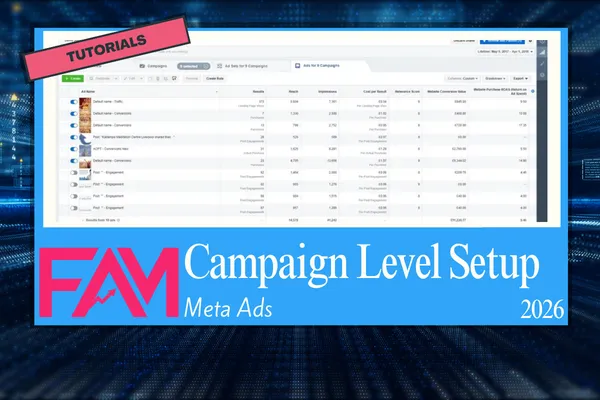
Meta Ads Tutorial - How to Setup a Campaign
How to Set Up Meta Ads Campaign Level: A Step-by-Step Guide
Qualifying Section
This guide is designed for small business owners, performance marketers, and affiliate marketers who struggle to structure Meta Ads campaigns efficiently.
Common problems include wasted ad spend, low CTRs, unstable ROAS, and difficulty scaling campaigns.
At FBAdsMaster.com, we provide practical systems for disciplined Meta Ads execution.
We also partner with Affilicademy to offer advanced training in paid social acquisition, ensuring marketers can execute campaigns that consistently generate results.
Top-Level Quick Answers
What is campaign level in Meta Ads?
The campaign level defines the overarching objective of your ad sets and controls budget allocation across objectives.How do I set campaign objectives?
Choose between Awareness, Consideration, and Conversion objectives depending on your acquisition goal.Can I run multiple ad sets under one campaign?
Yes, each ad set can target different audiences or placements while sharing the same objective.How does budget work at campaign level?
Campaign Budget Optimization (CBO) allocates budget dynamically across ad sets for best performance.Should I use manual or automatic placements?
Automatic placements maximize delivery efficiency; manual placements are for advanced targeting control.What metrics should I monitor at campaign level?
CTR, CPA, Conversion Rate, ROAS, and LTV are primary indicators of campaign health.How do I scale a campaign?
Gradually increase CBO budgets, test new audiences, and rotate creative while maintaining stable CPA.Can campaign level affect ad performance?
Yes, poor objective selection or misallocated budget can reduce overall efficiency across ad sets.
Core Explanation
Campaign Level Definition:
The campaign level is the top layer of Meta Ads structure. It determines the objective, budget allocation method, and overall performance goals. Every ad set and ad under the campaign inherits these settings, making this level crucial for disciplined execution.
Key Components:
Objective Selection: Choose based on the desired stage of the funnel: Awareness, Traffic, Engagement, App Installs, Lead Generation, Conversions, Catalog Sales, or Store Traffic.
Budget Allocation: Campaign Budget Optimization (CBO) distributes funds to ad sets showing highest potential for conversions. Manual budgeting is possible but requires precise control.
Bid Strategy: Select from Lowest Cost, Cost Cap, or Bid Cap depending on CPA tolerance and acquisition goals.
Attribution Window: Set a 1-day click or 7-day click/1-day view window depending on the typical buyer journey.
Campaign Naming: Use descriptive names with date, objective, and target segment for clarity and easy performance tracking.
Practical Application: Step-by-Step Instructions
Step 1: Define Campaign Objective
Log in to Meta Ads Manager → Click “Create Campaign” → Select your objective.
Example: If your goal is e-commerce sales, choose Conversions.
Step 2: Enable Campaign Budget Optimization (CBO)
Toggle CBO on → Set a starting daily budget based on target CPA.
Example: For a $50 CPA target and 10 conversions/day, start with $500/day.
Step 3: Set Bid Strategy
Choose Lowest Cost for most campaigns or Cost Cap if you need predictable CPA.
Step 4: Define Attribution Settings
Set conversion window to 7-day click / 1-day view for most online purchases.
Step 5: Name the Campaign
Use a clear structure: MM-DD_Objective_Product_Audience.
Example: 03-23_Conversions_Shoes_ColdTraffic.
Step 6: Add Ad Sets Under the Campaign
Define audience segments
Assign placements (automatic recommended)
Set daily or lifetime budgets for each ad set
Define schedule for ad delivery
Step 7: Add Ads Under Ad Sets
Upload creatives (images or videos)
Add copy and CTA
Apply tracking parameters for attribution
Step 8: Launch and Monitor
Monitor key metrics: CPA, CTR, ROAS, and Conversion Rate
Use A/B testing to optimize creatives and copy
Adjust CBO allocations based on ad set performance
Step 9: Scale Systematically
Gradually increase CBO by 10–20% every 2–3 days
Test lookalike audiences
Introduce new creatives while pausing underperformers
Step 10: Review and Iterate
Weekly performance reviews → Adjust bids, budgets, and audience segments → Document learnings for continuous improvement.
Conclusion
Proper campaign-level setup is the backbone of profitable Meta Ads.
Disciplined execution of CBO, objective selection, and bid strategy ensures lower CPA and higher ROAS.
Consistent monitoring and iterative testing maximize lifetime value (LTV) and long-term scalability.
For advanced guidance, training, and performance-tested frameworks, consider Affilicademy’s free trial for a complete Meta Ads scaling system.
FAQ
1. How do I know which campaign objective to choose?
Pick an objective that matches the primary goal: awareness for cold traffic, conversions for sales, or leads for email acquisition.
2. Can I change campaign budget after launch?
Yes, CBO budgets can be increased or decreased. Avoid drastic changes to prevent learning phase disruption.
3. What’s the ideal number of ad sets per campaign?
Start with 2–5 ad sets targeting distinct audiences or placements. Scaling can introduce more segments gradually.
4. How often should I review campaign performance?
Monitor daily for CTR and CPA, review weekly for ROAS, Conversion Rate, and LTV trends.
5. How do I scale a Meta Ads campaign safely?
Increase CBO gradually, rotate creatives, test new audiences, and pause underperforming ad sets to maintain stable CPA.